
Finish the repair. Keep the next plumbing request in view.
When you are under a sink or driving to the next job, Vera can answer your business line, use the information you provide about your plumbing service, and capture a message for follow-up. Review the caller’s situation before deciding when to call back, quote or visit.
Lite is $14.99/mo for one US or Canadian number, 100 receptionist minutes (about 170 calls) and 150 calling minutes. Plus is $29.99/mo with 300 receptionist minutes (about 500 calls) and 300 calling minutes. Allowances are account-wide; adding a line does not multiply them.
From caller to callback
Turn a leaking-tap call into a useful repair request
Illustrative intake example. The screenshot shows the app interface, not the result of this example call.
“The kitchen tap is leaking. I am available tomorrow afternoon. Can someone call me about a repair?”
Details to collect
- Name and confirmed callback number
- Service address and access details
- Reported fixture and symptoms
- Requested timing, still to be confirmed
Your next action
Review the message, check your service area and availability, then call back to scope the repair. The example is a request, not a diagnosis, price quote or dispatched plumber.
Set up after-hours coverage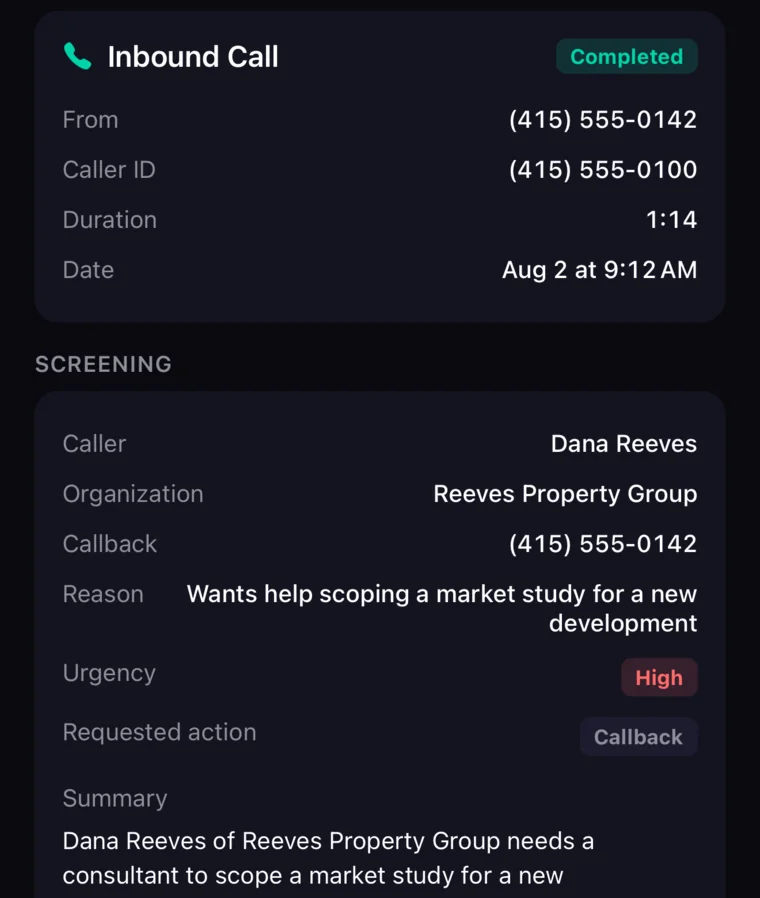
Live demo · Your business
Put Vera through a relevant call
Use your plumbing business name, service area, published hours and estimate policy in the live demo. Use your browser’s Back button to return to these checks after the demo.
Play the caller
“I need a plumber to look at a leaking kitchen tap. I am in your service area. Can you tell me how estimates work and take my callback number?”
Listen for
- The greeting identifies the business and the AI assistant.
- The answer follows the services and estimate policy you supplied.
- The caller can correct a name or callback number, and the final record reflects it.
- The assistant does not invent a diagnosis, a fixed repair price or a technician arrival time.
- The transcript and summary identify the next step you need to take.
Use fictional caller details for the test. This is a suggested evaluation, not a customer case study or a pre-recorded result.
The calls between jobs
Know what needs a callback
An answering service should leave enough context for a useful follow-up. Start with these common situations and test them with your own business details.
A new repair request arrives while you are working
The caller needs to explain a blocked drain, leaking fixture or water-heater problem. A usable message includes their name, callback number, location and description. You still decide the scope and whether an inspection is required.
A quote request needs context
A replacement or renovation enquiry may need photos, a site visit and a written estimate. Capture the requested work and follow-up details without turning an unverified phone description into a fixed price.
An after-hours call needs an honest next step
Answering overnight does not mean a plumber is on the way. Keep your availability and callback expectations accurate, and retain a separate human route when immediate response is part of the service you sell.
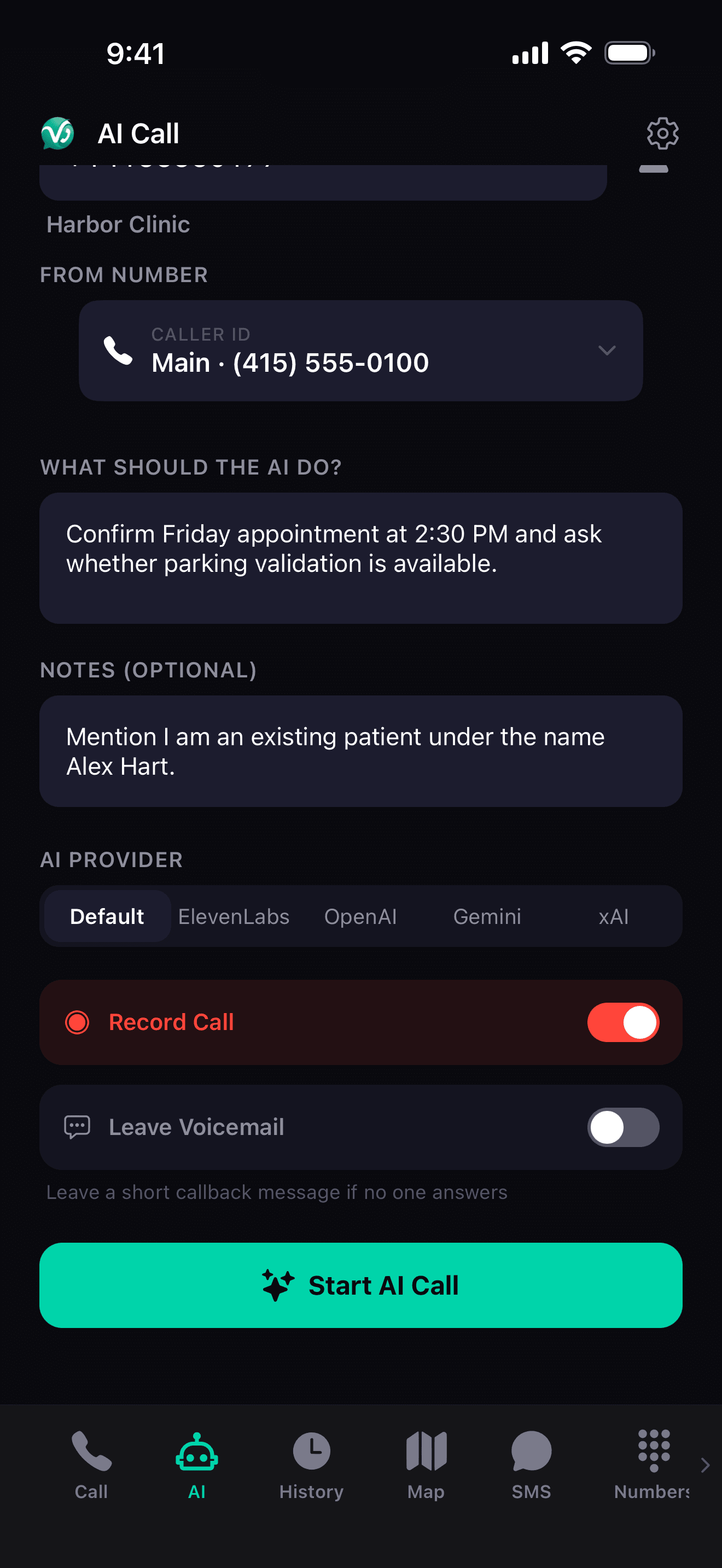
AI Calling — set the goal, hear the result. The AI runs the call.
What VeraDial handles
A receptionist on your business number
Vera uses your business profile to answer routine questions, connects real callers to you or takes a message. Train it with the services and policies you actually offer, then inspect the result.
Answer an enabled line around the clock
Receptionist answering runs server-side, so your app does not need to remain open. Supply your greeting, business hours, service area and answers to routine questions. Answering coverage does not promise an immediate owner response.
Review the caller’s request
Use the transcript and summary to understand the requested work and check the captured details. For plumbing, ask for the caller’s description and service address rather than letting the assistant diagnose a problem. Verify missing or unclear details yourself.
Receive calls to your established business number
Forward voice calls from your existing carrier number into VeraDial. The original number stays with the carrier, and its text messages stay there too. Carrier charges and forwarding options vary, so test the full route before relying on it.
Book a defined appointment on Plus
With a connected Google Calendar and configured business hours, Plus can book 30-minute appointments. Use that for an intake or estimate conversation when appropriate. It does not allocate technicians, calculate travel time or synchronize a dispatch board.
Follow up from your business line
Call customers back from your VeraDial number and send business texts on an eligible line. Owner-connected incoming, outgoing and forwarded calls draw from the separate calling pool. Automated SMS requires applicable carrier registration.
Illustrative workflow
From plumbing enquiry to owner follow-up
These are example workflows, not customer stories or measured results. Each ends with a decision the business owner makes.
Capture a drain-cleaning enquiry
A homeowner calls while you are replacing a fixture. Vera can explain the drain services in your profile and take a message. When you are free, check the address and description, call back and decide whether to offer an appointment.
Follow up on a water-heater estimate
A caller asks whether a quoted replacement includes disposal. If that policy is in your profile, Vera can answer it; otherwise it should capture the question for you. Confirm the actual quote before promising a change or a price.
Review an out-of-hours repair request
An overnight caller can leave the details of their plumbing issue. Your configured business information should accurately describe coverage. The owner remains responsible for deciding whether and when to respond; the assistant is not an emergency dispatcher.
Before forwarding your main line, test routine intake, an unknown question and a caller who needs a person. Confirm what happens if you cannot answer the connection.
FAQ
Plumbing answering-service questions
What does an answering service for plumbers cost?
Lite costs $14.99/month with one number, 100 receptionist minutes (about 170 calls) and 150 calling minutes. Plus costs $29.99/month with 300 receptionist minutes (about 500 calls) and 300 calling minutes, plus booking and outbound AI calling. These are separate account-wide pools. For 20 two-minute intake calls, 40 receptionist minutes fit Lite; for 100 such calls, compare Plus. These are calculated examples, not customer results, and exclude owner calling, carrier charges and taxes.
Can I keep my existing plumbing number?
Yes, you can keep it with your carrier and forward its voice calls to a VeraDial number. This does not port the original number or move its SMS messages. Ask your carrier about forwarding charges and busy/no-answer options, then verify the route from another phone. Keep the original service active for this setup. If you would rather move the number itself, we transfer eligible US and Canadian numbers with no VeraDial transfer fee.
Can Vera dispatch a plumber in an emergency?
Vera can capture a caller’s stated situation and connect real callers to you or take a message. It is not an emergency service, does not diagnose hazards, and does not guarantee a technician response time. If your business promises immediate human dispatch, maintain that staffed route and verify how it works before relying on an automated intake service.
Will it quote plumbing repairs over the phone?
Vera should use the business information you provide, including any published rates and estimate policy. Do not configure it to invent a price when a site assessment is required. Ask an unknown question during the demo and check that the assistant passes it back instead of making a commitment on your behalf.
Can it book a plumbing visit?
Plus supports 30-minute Google Calendar appointments with a connected calendar and configured business hours. It does not perform multi-technician dispatch, travel-time planning or parts allocation. Use a calendar appointment only for a workflow that fits those limits; keep field-service scheduling and unusual requests with the owner.
What are the call limits?
Lite includes 100 receptionist minutes (about 170 calls) per month; Plus provides 300 (about 500 calls). Receptionist conversations have a five-minute limit and up to 50 answered calls per day per line. A high-volume service desk or long diagnostic conversations need a different assessment from short owner-operated intake. Extra lines do not multiply the account’s calling allowance.
Does it connect to Jobber, ServiceTitan or my CRM?
VeraDial offers Zapier and signed webhooks on Plus; it does not provide a native Jobber or ServiceTitan dispatch integration. Check the exact trigger, destination and action you need before treating an integration as complete. Plus and Business owners can invite teammates to selected lines to share calls, messages and voicemail. This does not include a staff dispatch console.
Try your own intake
Hear a plumbing enquiry before you change your phone setup.
Run the demo checklist above, review the transcript, and compare the plan with your actual call volume. Lite starts at $14.99/mo; Plus is $29.99/mo for 300 answering minutes and booking. Both offer a seven-day trial with trial-specific allowances.


Hear Vera in action.
Play a short sample call, follow the transcript, and move into a personalized live demo when you're ready.